
Detecting Image Manipulation
Find out whether a Photochrom really shows what it claims to show…

Photochrom Research Environment
Goal: a research environment for art history
- From close reading of single images to distant reading of the whole collection: craft research questions and find answers by tagging and comparing subsets
- Inspect images down to the smallest detail and reveal the secrets of their fabrication
- Analyse colours and compare two images
The photochrom collection of the Zentralbibliothek Zürich holds more than 9,600 colour prints from 1889–1914, among them over 200 reproductions of paintings. Montage and retouching were part of everyday work on photochroms. Our web app lets you browse the collection, pick candidates and put a photochrom next to the painting it copies.
- Try it: https://eliaskreyenbuehl.github.io/photochrom/
- Code (MIT): https://github.com/eliaskreyenbuehl/photochrom
1. Media Library: distant reading
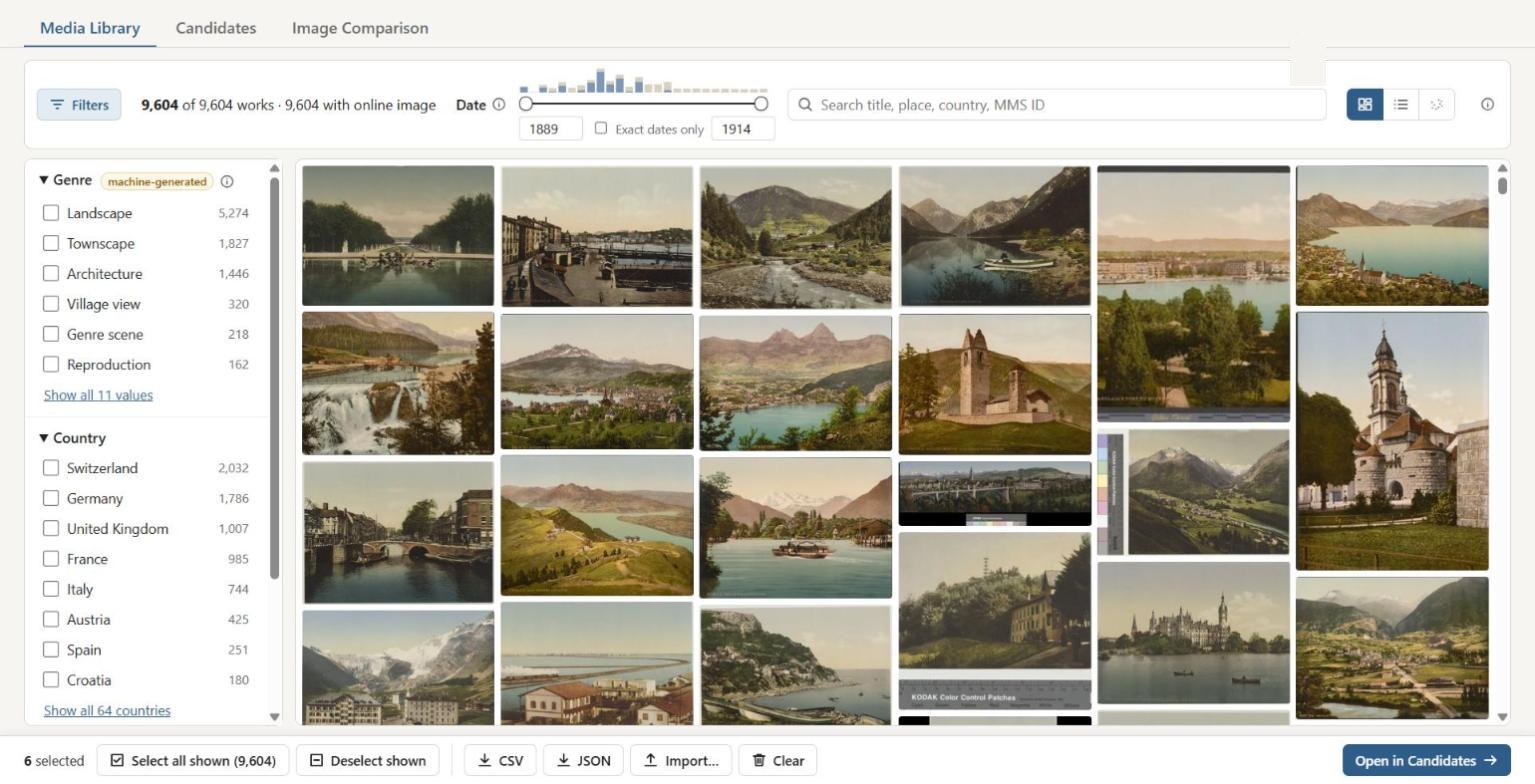
All 9,604 works as a mosaic, filtered by genre, country, image content and date. Selected works travel on to the next tab.
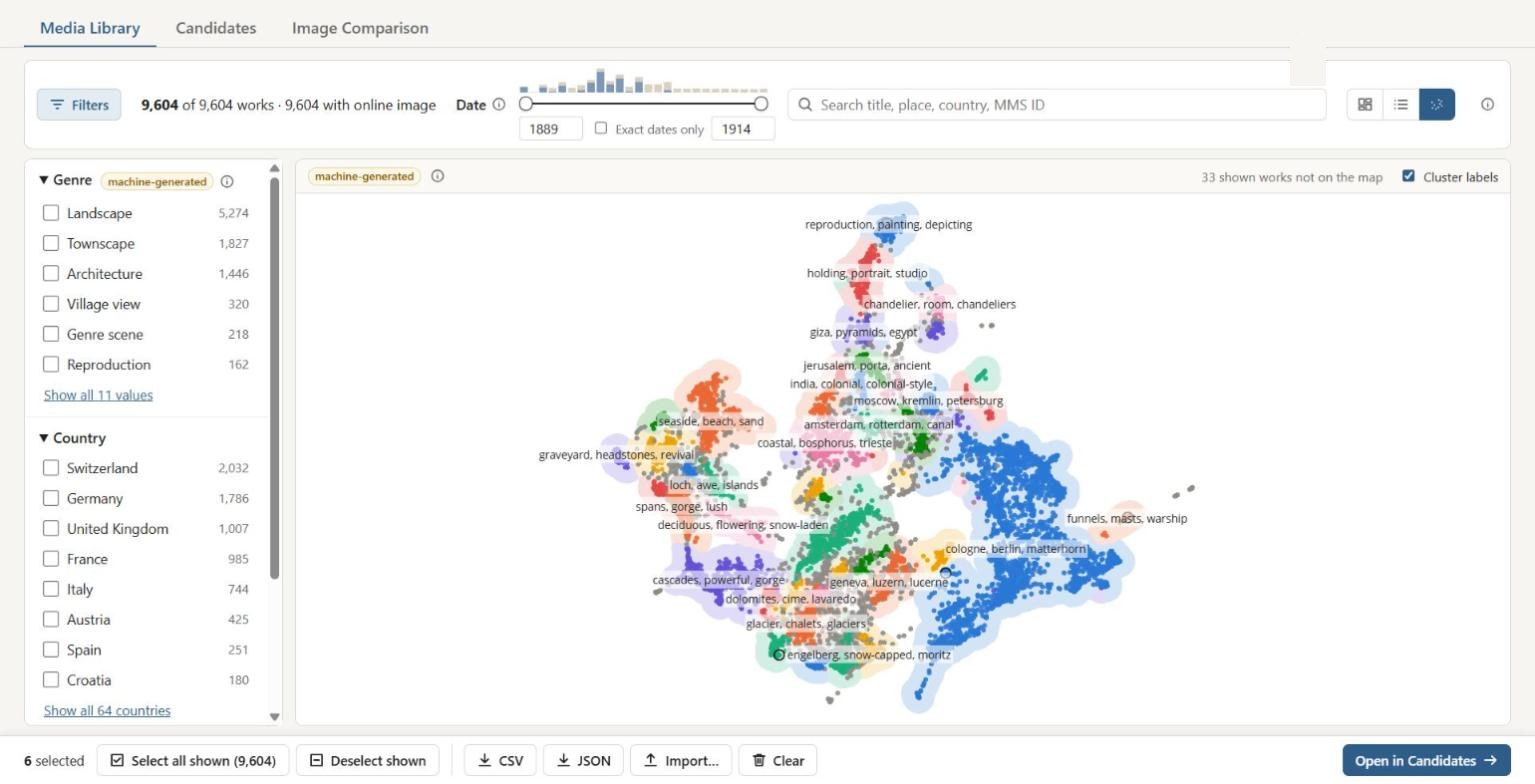
The map view arranges the collection by visual similarity (image embeddings), with automatic cluster labels such as "glacier, chalets" or "reproduction, painting". Genres, image content and clusters are machine-generated and not yet reviewed.
2. Candidates: building pairs
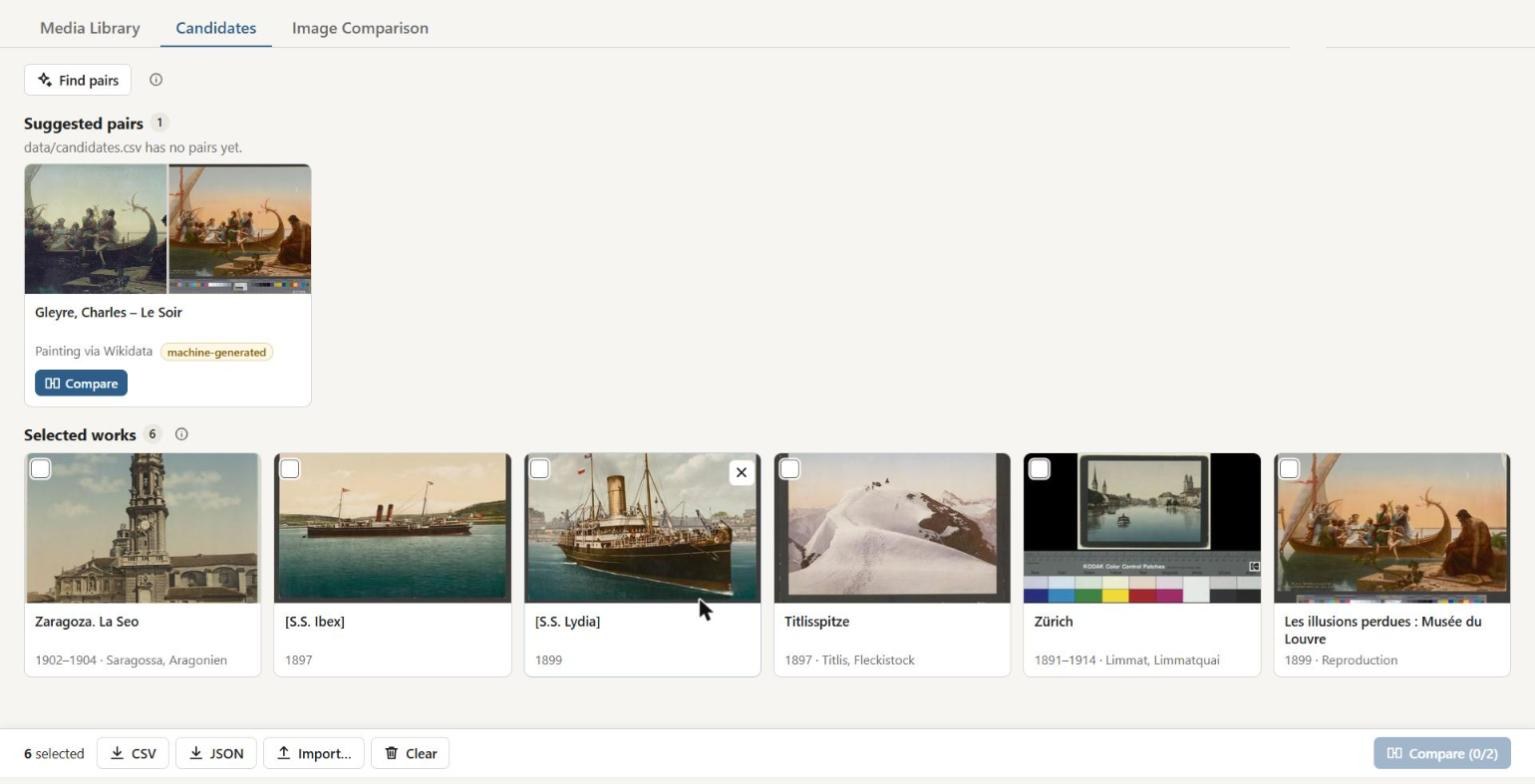
"Find pairs" suggests comparison partners for the selected works, for example the original painting via Wikidata.
3. Image Comparison: close reading
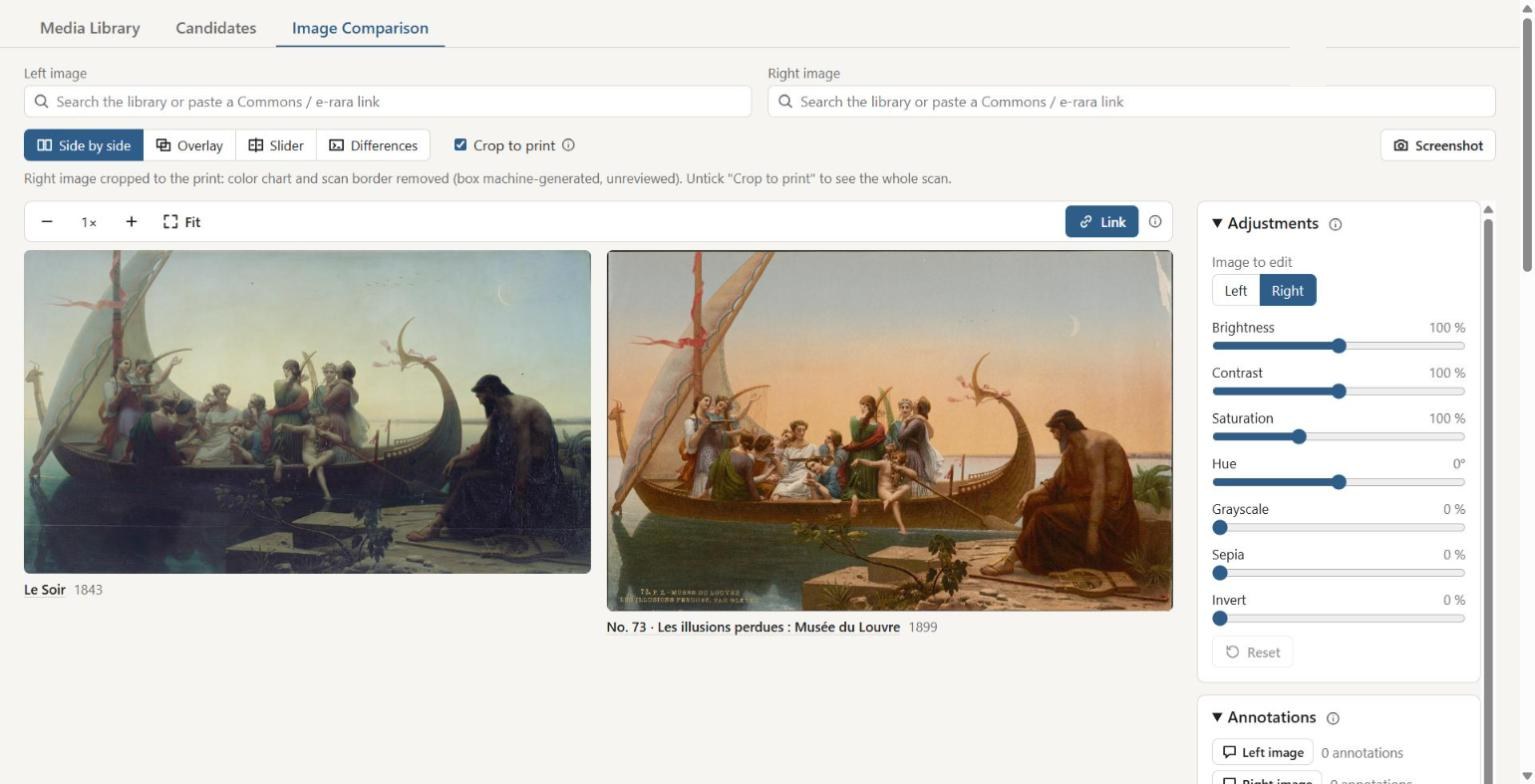
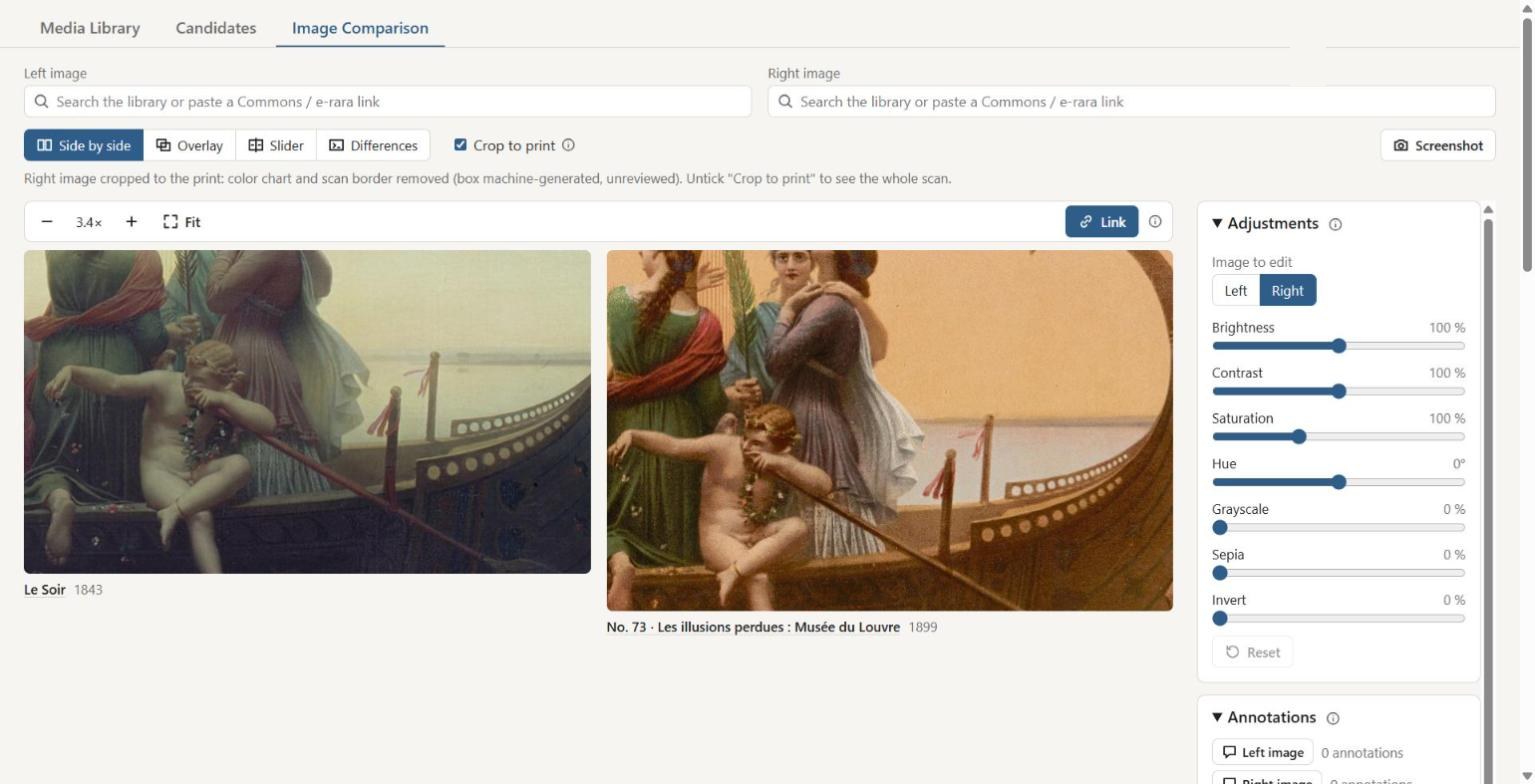
Charles Gleyre, Le Soir (1843, Louvre) next to photochrom No. 73 Les illusions perdues (1899). The colour chart and scan border are cropped away automatically. Brightness, contrast, saturation and hue can be adjusted per image.
Linked zoom down to the smallest detail: the cupid's face and the boat's ornaments in both images at once.
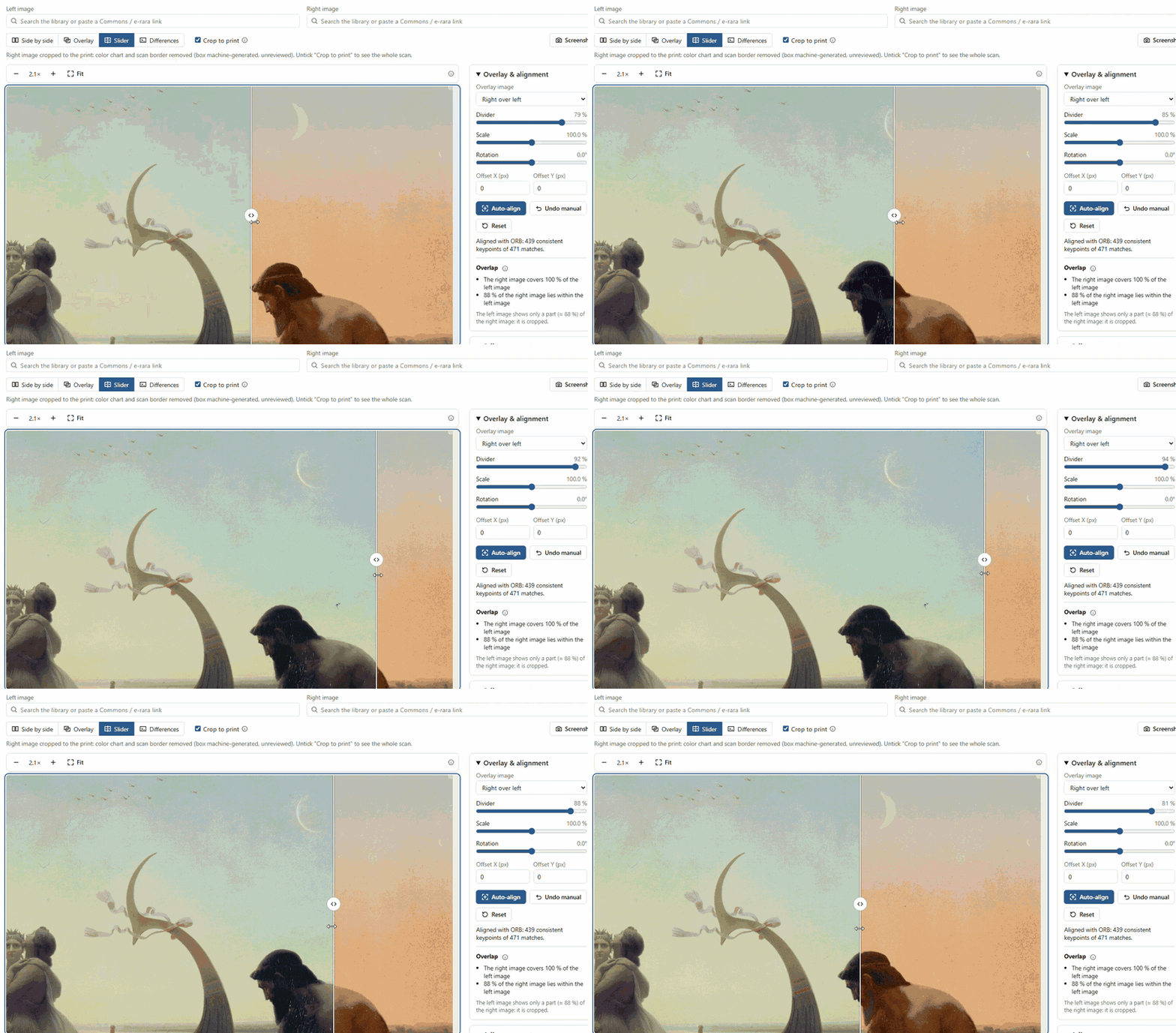
The slider, zoomed in on the moon: drag the divider across painting and photochrom and watch the evening sky change.
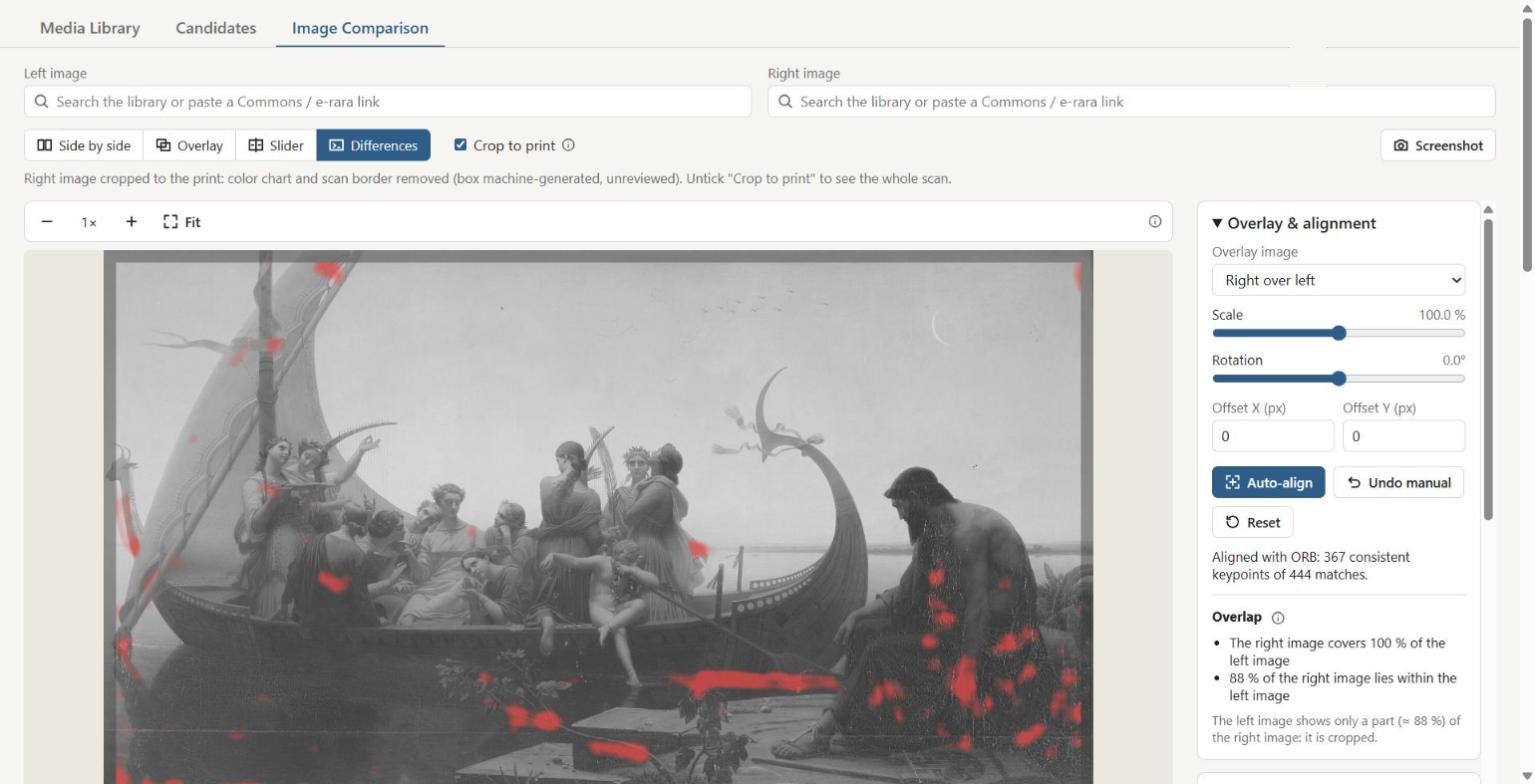
Auto-align (OpenCV, keypoint matching) lays the photochrom exactly over the painting. The difference map then marks where the two images really differ, beyond colour.
4. Colour analysis
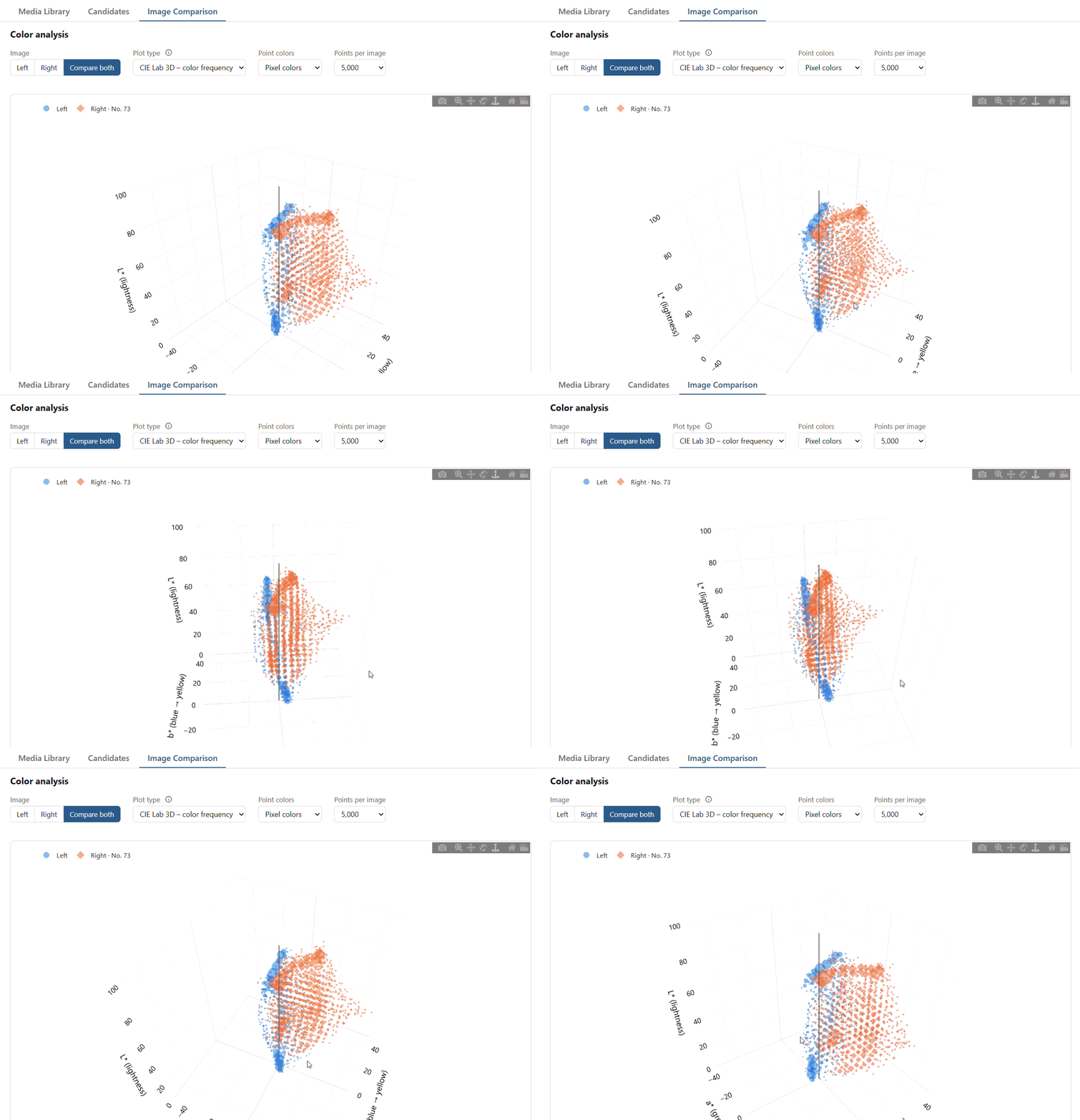
The colours of both images in the 3D CIELAB colour space (lightness L*, green–red a*, blue–yellow b*), compared in one rotating plot: the painting (blue) stays close to the cool, grey axis, the photochrom (orange) spreads out towards red and yellow.
Data
- Photochrom Collection of the Zentralbibliothek Zürich: 9,610 records with images and metadata: https://doi.org/10.5281/zenodo.24141227
- Photochrom images are in the public domain (Public Domain Mark), metadata is CC0. Rights to museum images vary, so please check them before reuse.
Previous
GLAMhack 2026
Next project